What USB cable do I need?
Sixteen connectors, photographed from the same angle at the same scale. Find the one in your hand, then find the cable that fits it.

All USB connectors
Shown plug-first, looking straight at the face - the view you get holding one up. Tap any connector for how to recognise it, what it plugs into and what it can carry.
-
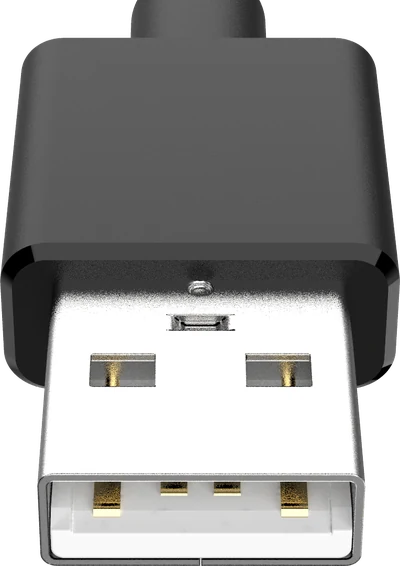
Type-A
The flat rectangle everyone pictures when they hear “USB”.
In use today -
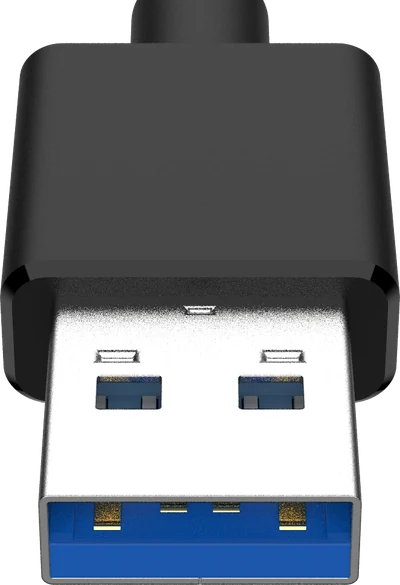
Type-A 3.0
The same rectangle as Type-A, with a blue tongue and five extra pins.
In use today -
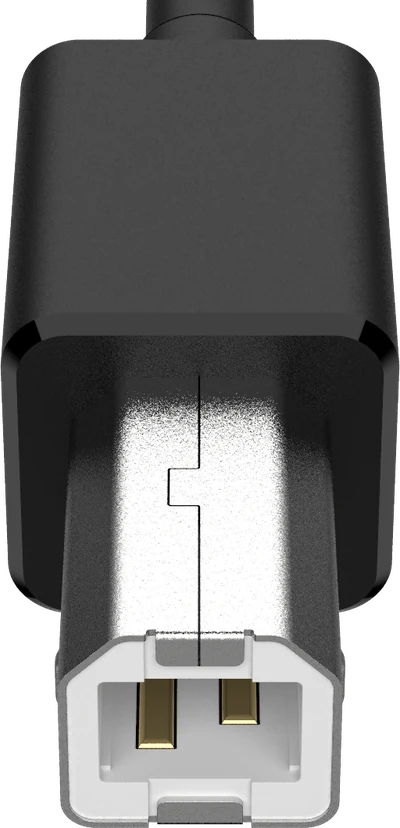
Type-B
The chunky near-square plug on the back of a printer.
Still around -
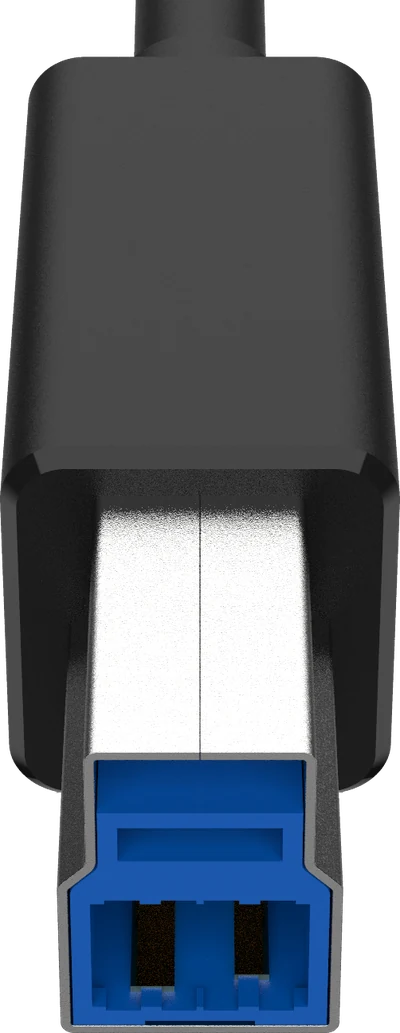
Type-B 3.0
Type-B with an extra storey stacked on top, almost always blue.
Still around -
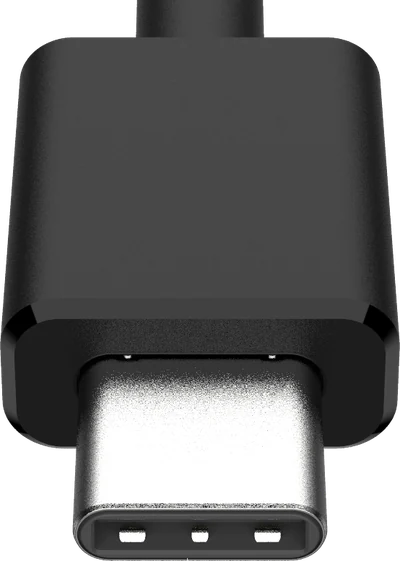
Type-C
The small oval that goes in either way up - and hides the most variation.
In use today -
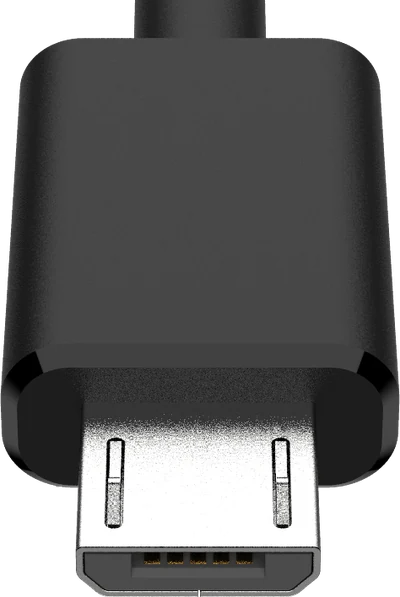
Micro-B
The small trapezoid that charged every phone before Type-C.
Still around -
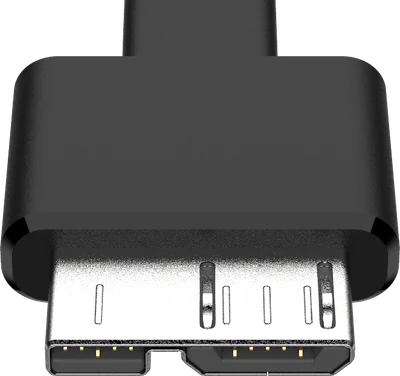
Micro-B 3.0
A Micro-B with a second block bolted alongside it. Portable drives, mostly.
Still around -
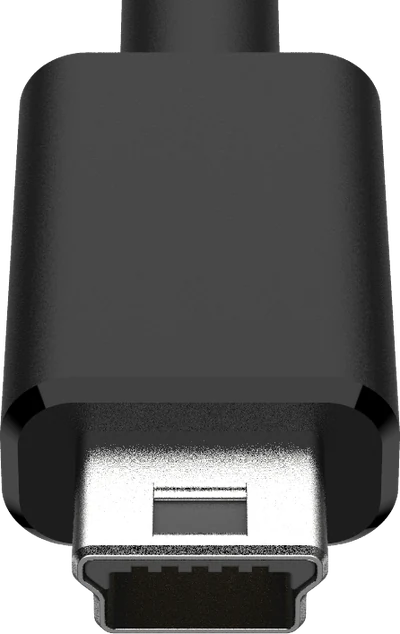
Mini-B
The fatter, older cousin of Micro-B. Cameras and MP3 players.
Obsolete
What cable do I need?
Pick the connector at each end. Not sure whether an end is a plug or a socket? A plug is the bit you push in; a socket is the hole it goes into.
Why two identical USB-C cables behave differently
Every connector on this page can be identified by looking at it - except one. A USB-C plug that carries 480 Mbps and 15 W is physically identical to one carrying 80 Gbps and 240 W. Nothing on the outside tells you which you are holding.